Click to choose or drag and drop a GIF here
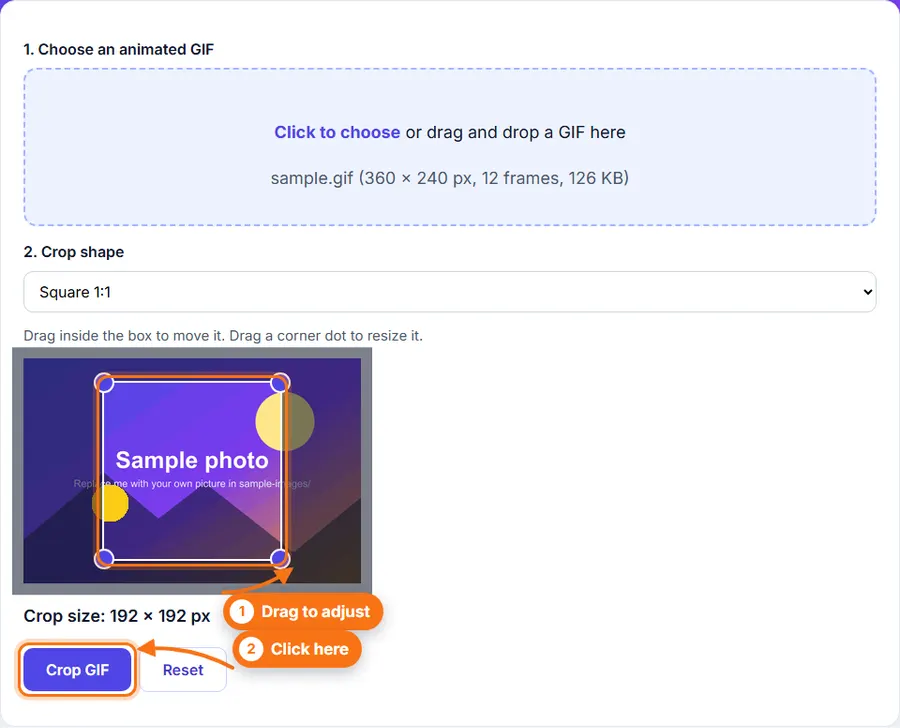
Drag inside the box to move it. Drag a corner dot to resize it.
Crop animated GIFs online for free. Select the area you want to keep, and crop every frame while preserving the animation. No software installation required.
Click to choose or drag and drop a GIF here
Drag inside the box to move it. Drag a corner dot to resize it.
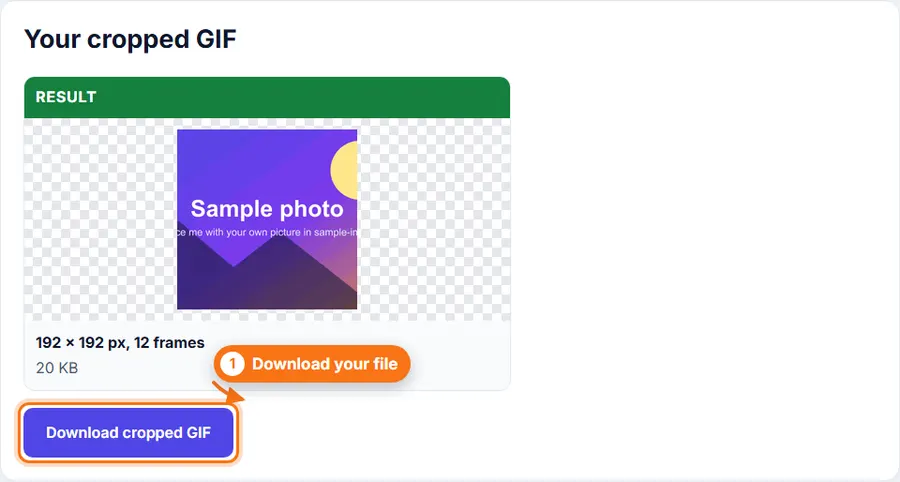
How to crop a GIF: choose your GIF, drag the box over the part you want to keep, and click Crop GIF. Then download the cropped animation.
Every frame is cropped and the timing stays the same.
Move the crop box and resize it with the corner dots.
Pick square, portrait, landscape and other common shapes.
Use it without creating an account or wasting time.
Choose an animated GIF, or drag one into the upload area.
Pick a crop shape, such as Free, Square 1:1 or Landscape 16:9.
Drag inside the box to move it. Drag a corner dot to resize it.
Click Crop GIF and wait for the progress line to finish.
Check the result and click Download.
You do not always need a desktop photo editor just to crop an animated GIF. FastestImageTools keeps it simple so you can make the change you need and get back to your work without unnecessary editing tools.
Yes. Every frame is cropped the same way and the timing stays the same.
Each frame is saved again with up to 256 colors, like the original GIF, so colors stay very close.
Up to 30 MB. Very long GIFs with many frames may be too large for your browser to handle.
No. Everything happens in your browser.
Your feedback helps us improve FastestImageTools.
Please do not include personal details.
Choose how to send your message. It is only sent when you press Send in the email service you pick.
No email service? Copy the message and send it to Itkountsllc@gmail.com from any email account.