Best Free Online Passport Photo Maker

Crop your photo to a common passport size, line up your face with the guide, and download a photo or a 4x6 print sheet.

Check your official requirements. The sizes below are a guide only. Rules for size, background, lighting and expression differ by country and can change. We cannot promise that a photo will be accepted. Make sure your photo meets the official requirements that apply to you; otherwise, it may not be accepted.

Click to choose or drag and drop a photo here
Quick Method — Passport Photo Maker

How to make a passport photo online: choose a front-facing photo, pick your country's size, fit your face inside the head guide, and download a single photo or a 4x6 inch print sheet.

Check your official requirements before you print. Sizes and rules differ by country.

Passport Photo Sizes Made Simple

Crop your photo to a common passport or visa size, line up your face with the head guide, and download a single photo or a 4x6 inch sheet ready to print. Sizes are a guide only, so always check your official requirements.

Why Use This Tool?

Common Sizes

US 2x2 inch, UK, Canada, India, EU and Australia sizes.

Head Guide

An outline helps you place your face at the right size.

4x6 Print Sheet

Fit several photos on one standard 4x6 inch print.

No Login Required

Use it without creating an account or wasting time.

How to Use Passport Photo Maker Tool

  1. 1

    Choose a front-facing photo with a plain, light background.

  2. 2

    Pick your country or photo size.

  3. 3

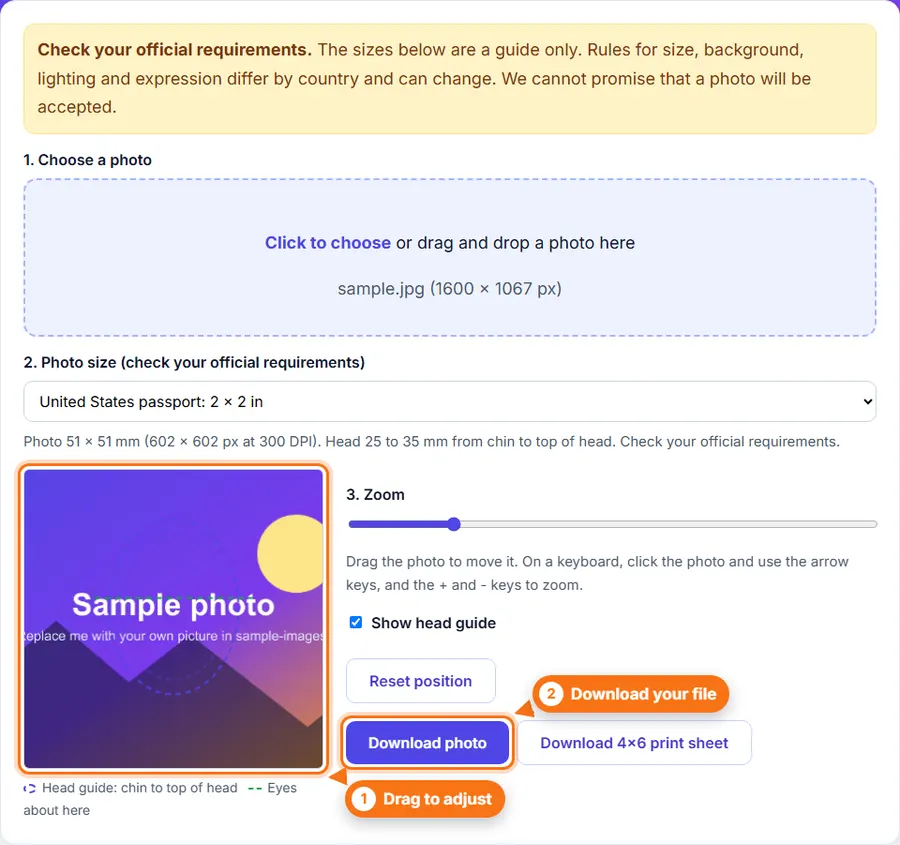
    Drag the photo and use the zoom slider so your face fits inside the head guide.

  4. 4

    Check the preview, then download a single photo or a 4x6 inch print sheet.

  5. 5

    Check your official requirements before you print or submit the photo.

Step-by-Step Pictorial Guide — Easy to Use

  1. The Passport Photo tool with a size chosen and the head guide over the photo
    Step 1 The Passport Photo tool with a size chosen and the head guide over the photo

Common Uses

Tips

  • Use even light from the front, with no shadows on your face or behind you.
  • Look straight at the camera with a neutral expression and both eyes open.
  • Print the 4x6 sheet at actual size, not scaled to fit, so each photo is the right size.

Make a passport photo Without Complicated Software

You do not always need a desktop photo editor just to make a passport photo. FastestImageTools keeps it simple so you can make the change you need and get back to your work without unnecessary editing tools.

Frequently asked questions

Will my photo be accepted?

We cannot promise that. Every country has its own rules about size, background, lighting and expression, and they can change. Always check your official requirements first.

Does the tool change the background?

No. It crops and sizes your photo. Take your photo against a plain, light background.

How do I print the 4x6 sheet?

Print it as a 4x6 inch (10x15 cm) photo at a print shop or at home. Choose actual size, not scale to fit.

Can I use the digital photo for an online application?

Many online applications ask for their own pixel size and file size. Check the official site, then use our Image Resizer or Image Compressor if needed.

Is my photo uploaded?

No. The photo is cropped and sized in your browser.

Was This Passport Photo Helpful?

Your feedback helps us improve FastestImageTools.